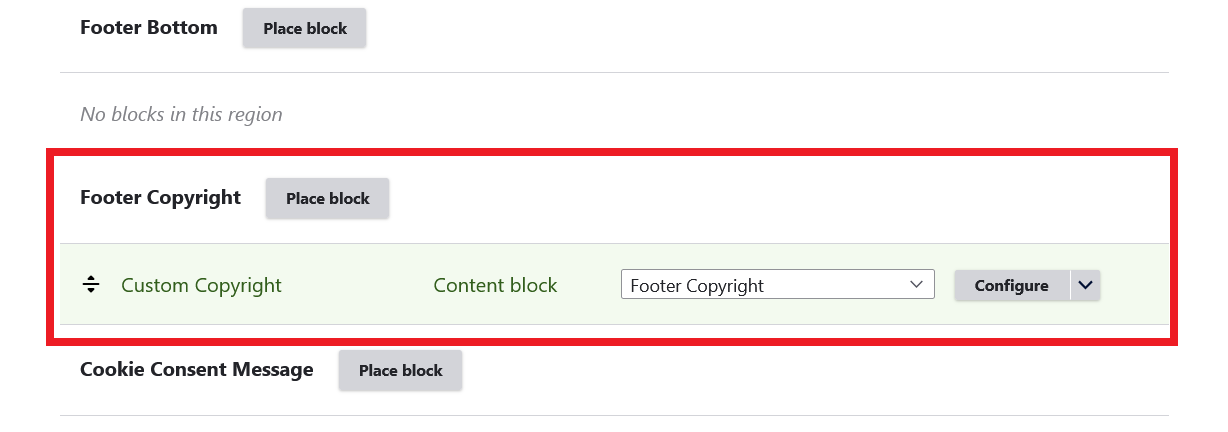
Copyright Text in Footer
Default Copyright Text
By default, theme displays an automatic copyright message in footer in the following format:
© YEAR SITE NAME, All rights reserved.Example:
© 2026 Drupar.com, All rights reserved.
How to Show / Hide footer copyright text
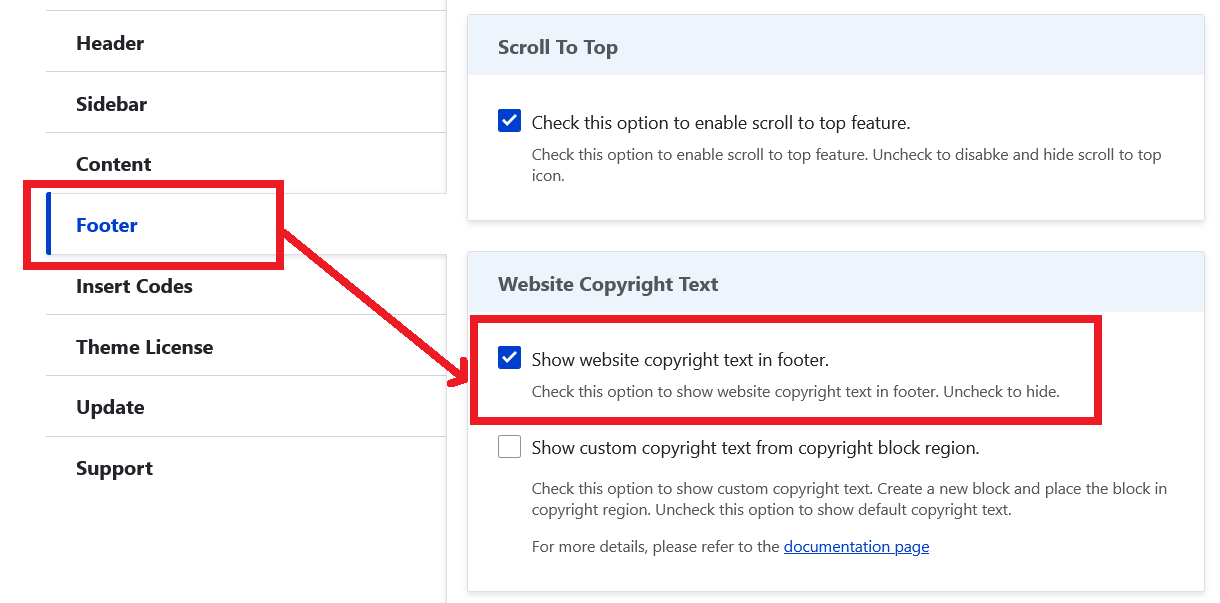
Footer copyright text can be managed from the theme settings.
- Navigate to: Administration Appearance Appearance settings MiliPro
example.com/admin/appearance/settings/milipro
- On this page, you can show / hide copyright text.
Edit or Custom Copyright Text
Follow below steps to edit the default copyright text.
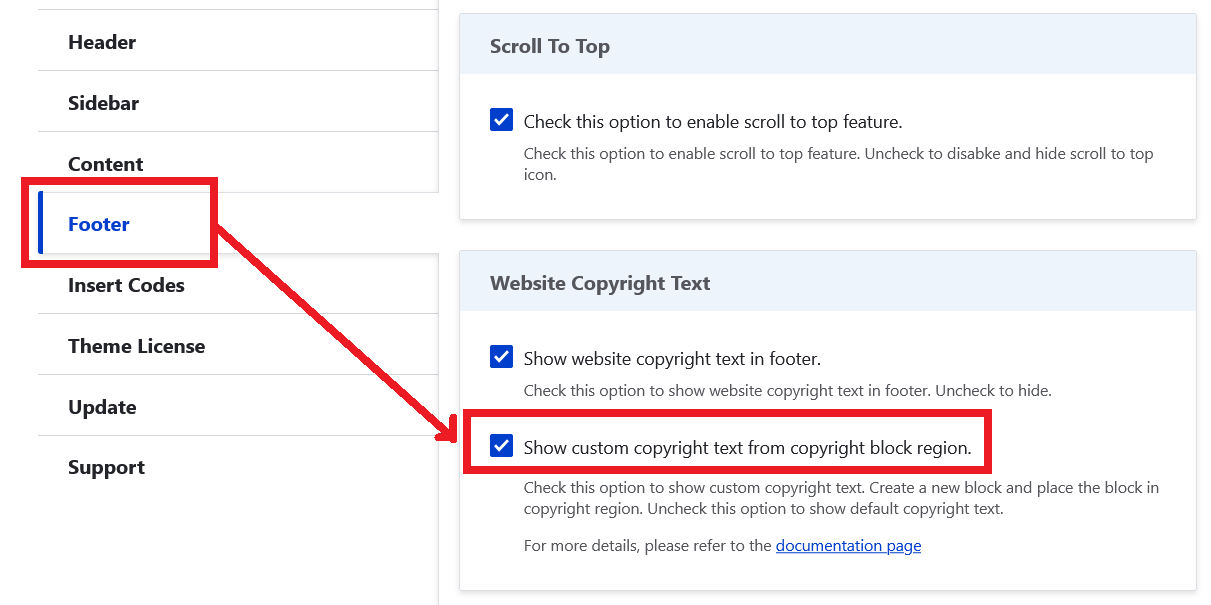
- Navigate to: Administration Appearance Appearance settings MiliPro
example.com/admin/appearance/settings/milipro
- Check the option Show custom copyright text from copyright block region and save configuration.
- Create a new content block with your custom copyright text message.
- After creating a content block, navigate to: Administration Structure Block layout
example.com/admin/structure/block
- In the Block layout page, locate: Footer Copyright
- Place your custom copyright block in this block region and save.