Header Main Menu
The Main Menu (also called the Primary or Header menu) is usually displayed in the header section of a Drupal site. It helps visitors navigate to important pages easily.
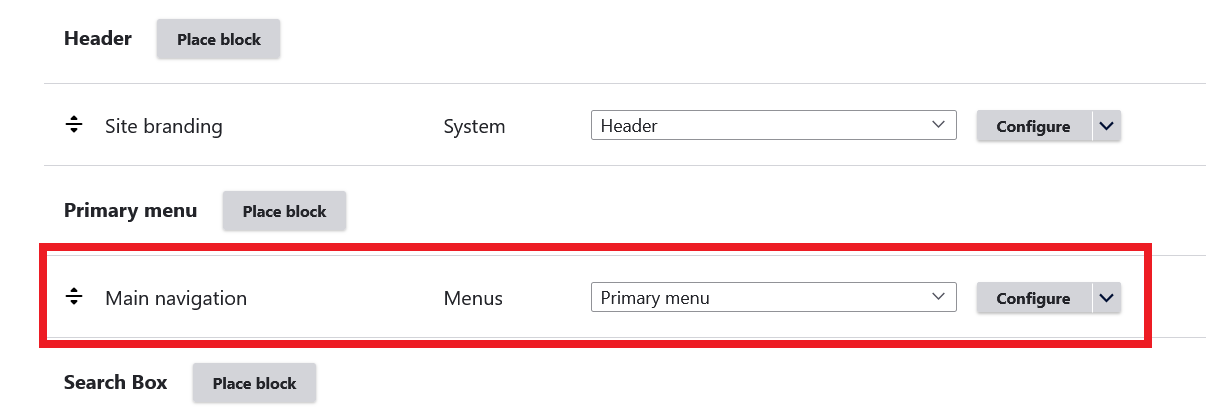
Step #1 – Block Placement
Place the Main navigation block in the Primary menu block region of the theme from:
Administration Structure Block layout
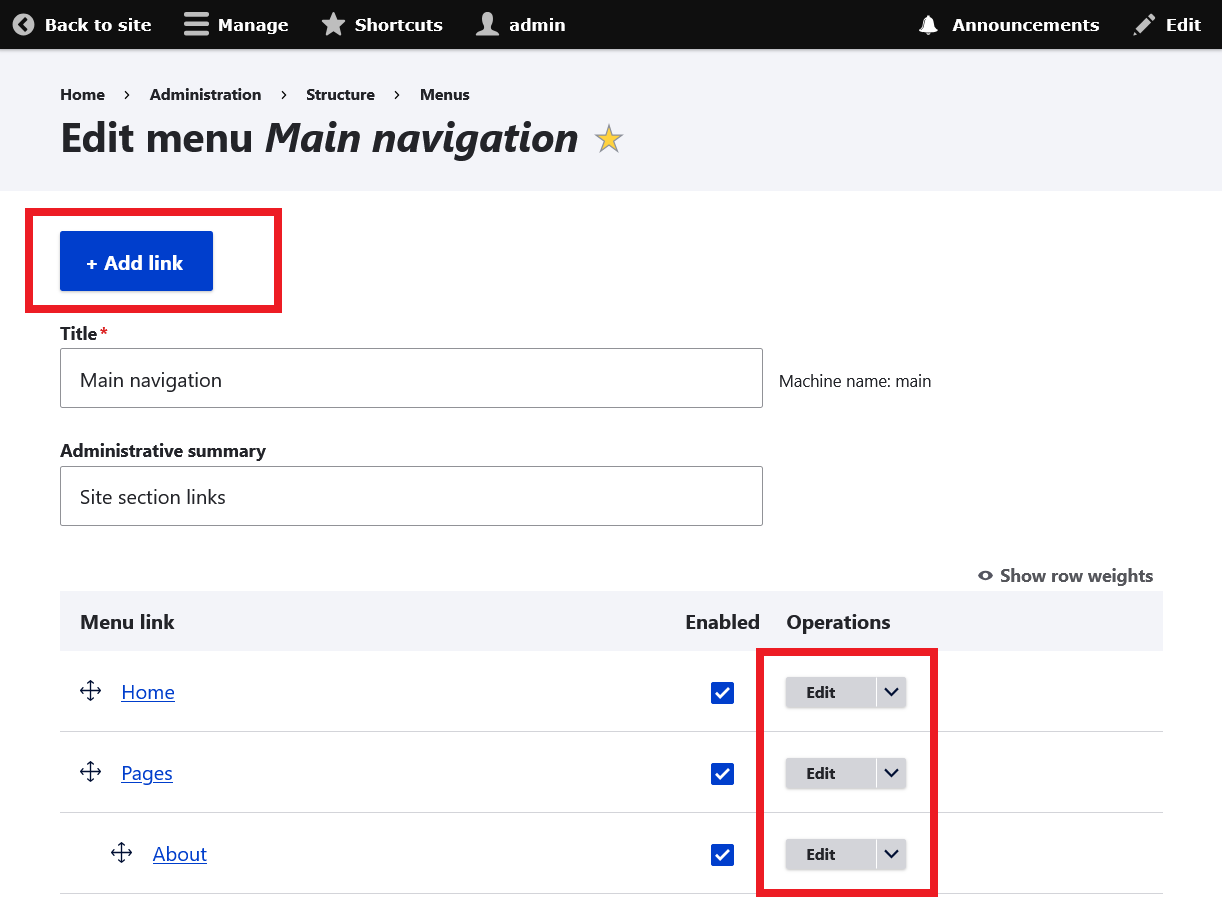
Step #2 – Add / Remove / Disable menu Links
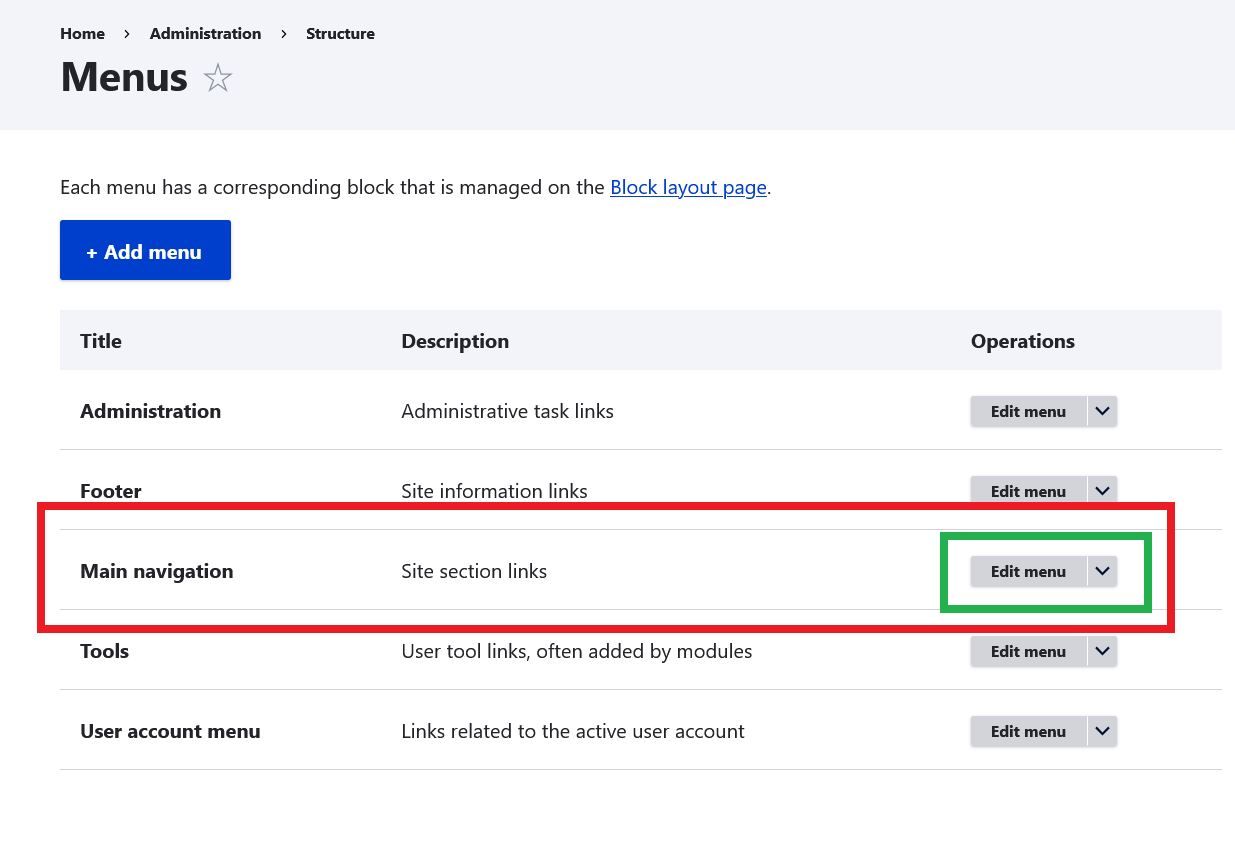
We can manage main menu links / items from: Administration Structure Menus Main navigation
example.com/admin/structure/menu
How to make Drop Down menu
The theme includes a built-in CSS3-powered dropdown menu and does not require any third-party modules.
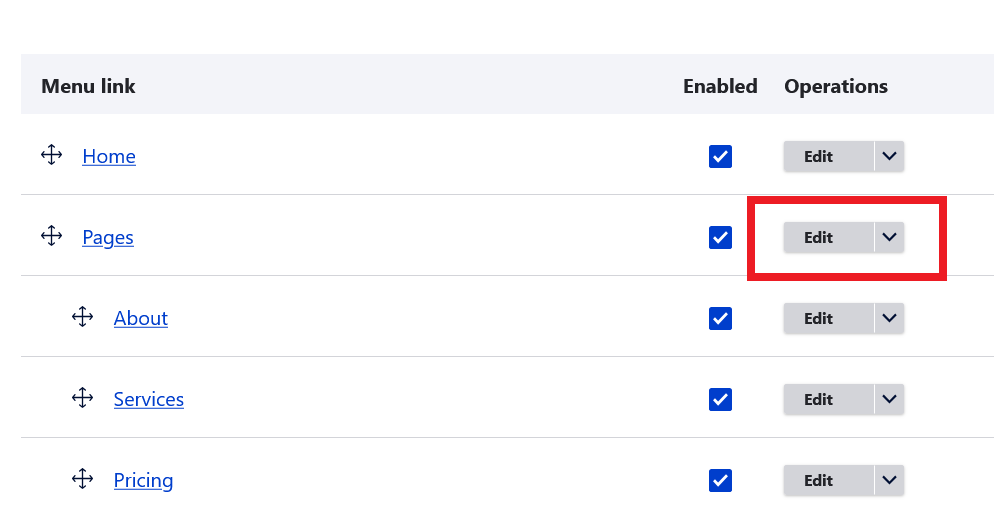
- Click Edit button of the parent menu item.
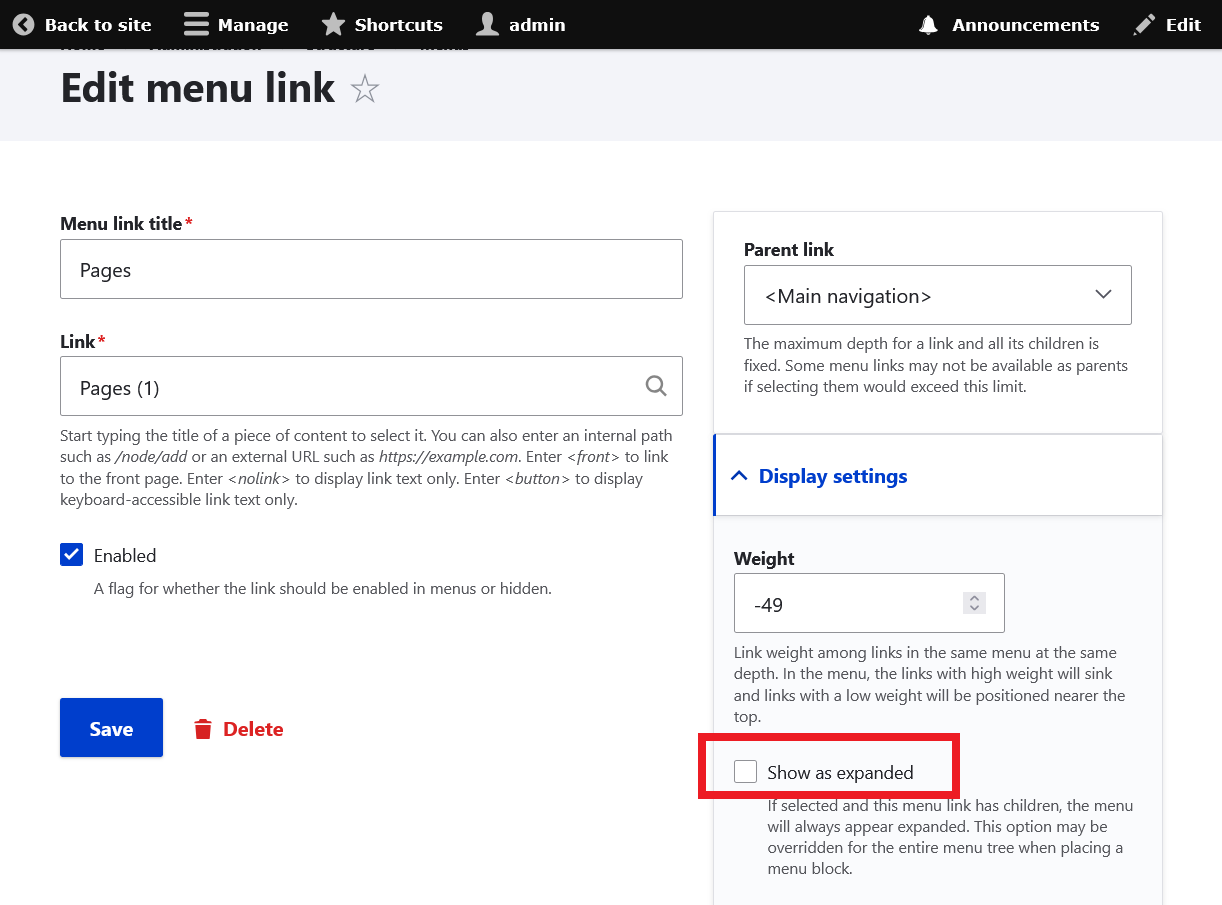
- Under Display settings section, check the option Show as expanded and save.