Custom CSS
Mili Drupal theme allows you to add your own custom CSS directly from the theme settings. This is useful when you want to add custom CSS styles that override theme default styles, or apply small design changes without editing theme files.
How to Add Custom CSS
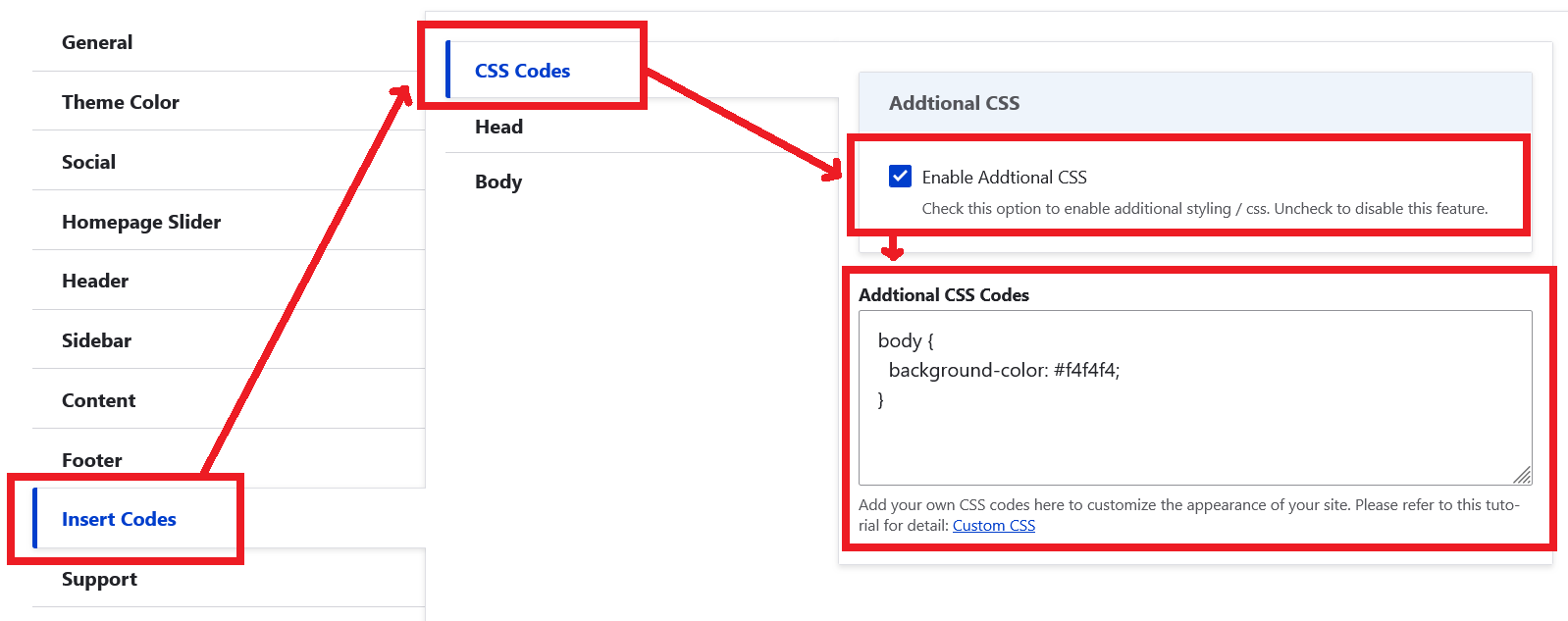
Custom CSS can be added from theme settings page.
- Log in to your Drupal site admin panel.
- Navigate to: Administration Appearance Appearance settings Mili
example.com/admin/appearance/settings/mili
- Enable custom css option and enter your custom css codes.
- Save Configuration.
- Clear Drupal cache if changes are not visible immediately.