Add Homepage Content
This guide explains two common and recommended methods to add content on the frontpage of a Drupal site. You can use both methods to add content on the homepage.
Method 1: Add Content by Editing the Frontpage
- Setup frontpage of your Drupal site using steps mentioned in this article: How to Set the Front Page in Drupal
- Edit this page. Add or update the page content.
Method 2: Add Content Using Blocks
This method allows you to add content on frontpage using blocks.
- Setup frontpage of your Drupal site using steps mentioned in this article: How to Set the Front Page in Drupal
- Navigate to: Administration Structure Block layout
example.com/admin/structure/block
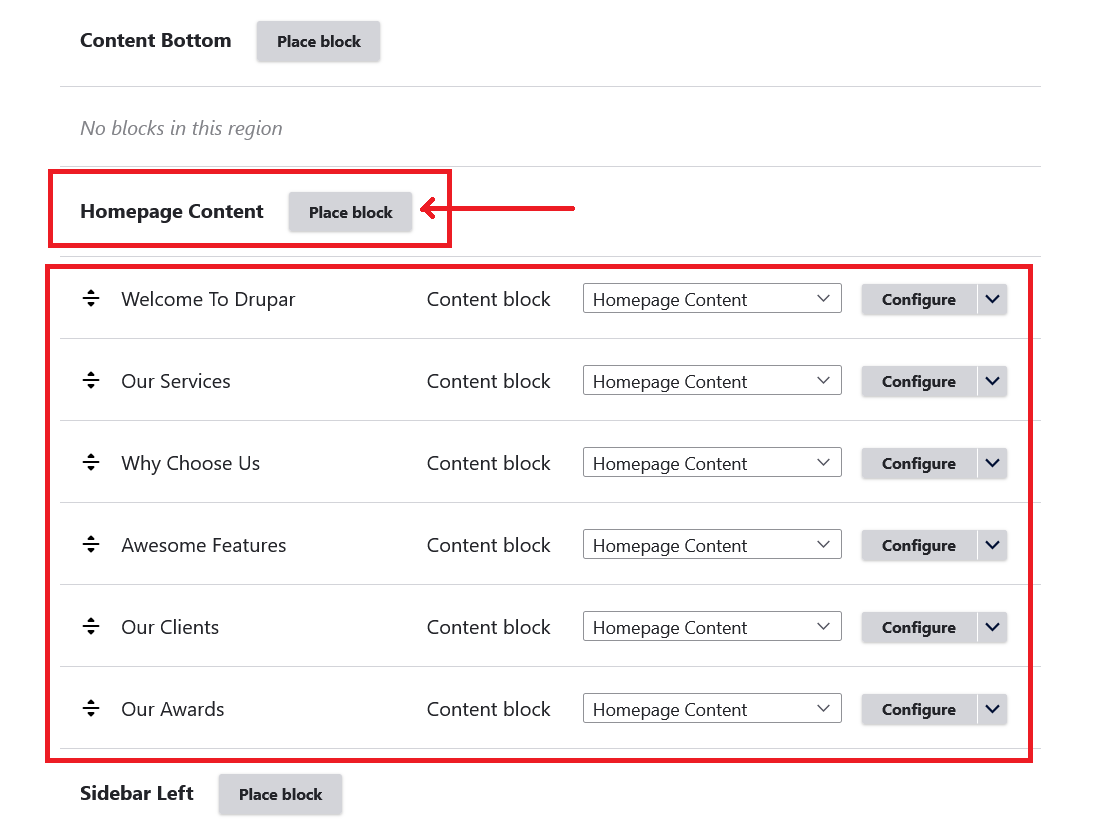
- Locate the Homepage Content block region.
- Click Place block in that region.
- Place blocks in Homepage Content block region. You can use an existing block or create a new custom block.