Add Content in Sidebar
The theme provides dedicated Sidebar Left and Sidebar Right regions that allow you to display content in sidebars. You can add blocks such as menus, custom text, images, views, or forms to these sidebars using Drupal’s Block Layout system.
Available Sidebar Regions
The theme includes the following sidebar regions:
- Sidebar Left
- Sidebar Right
Step #1 – Navigate to Block Layout
- Log in to your Drupal admin panel.
- Navigate to: Administration Structure Block layout
example.com/admin/structure/block
Step #2 – Place Block
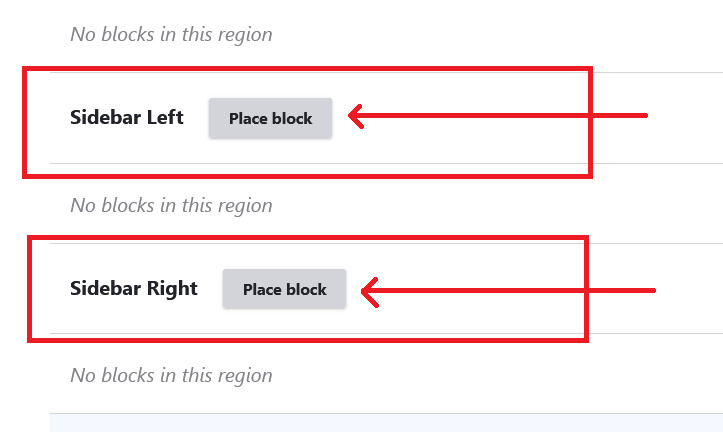
- In the Block layout page, locate: Sidebar Left and Sidebar Right
- Click Place block next to the desired sidebar region.
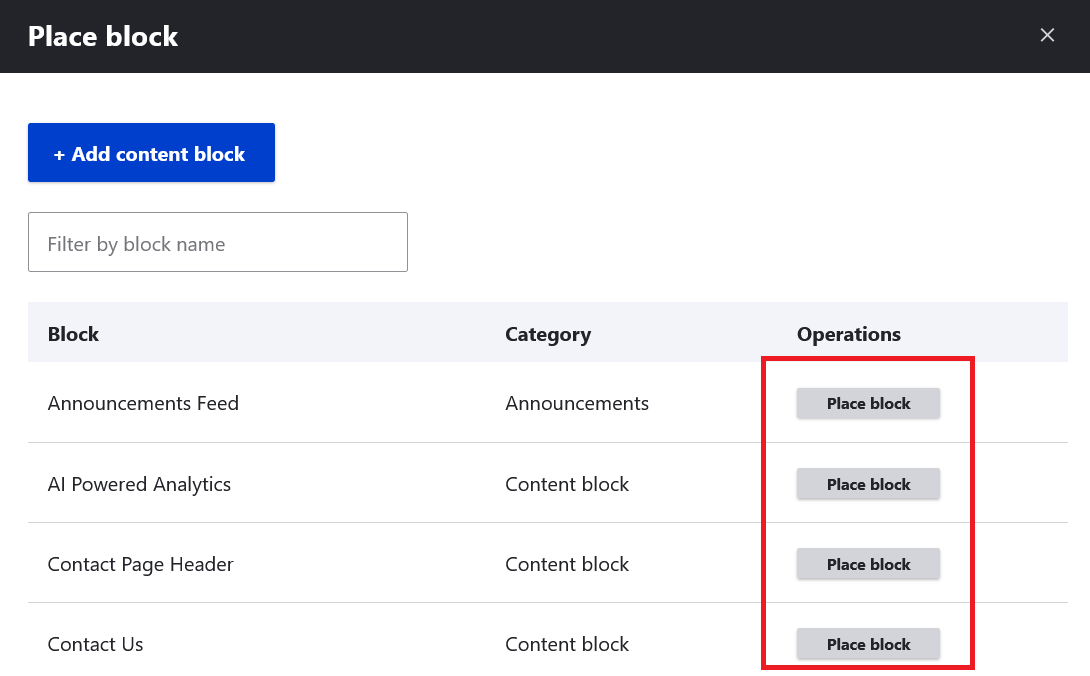
- Select a block and click Place block button of that block.
Step # – Configure Block Settings
After selecting a block, configure the following options
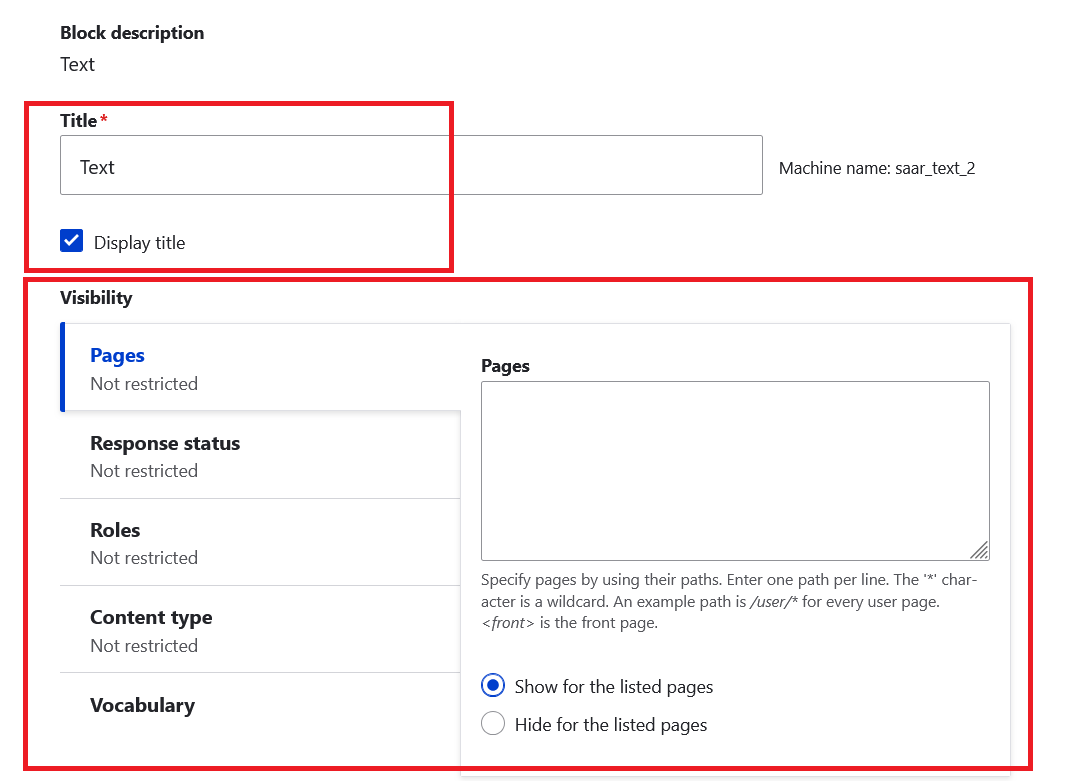
- Block Title – you can show or hide it
- Visibility Conditions – you can configure on which pages this block will appear and which user roles can see this block.